1. Installation (Beta Version)
Click on the link here to download the app from Google Play.
For now, the application is limited to a selected number of trial participants.
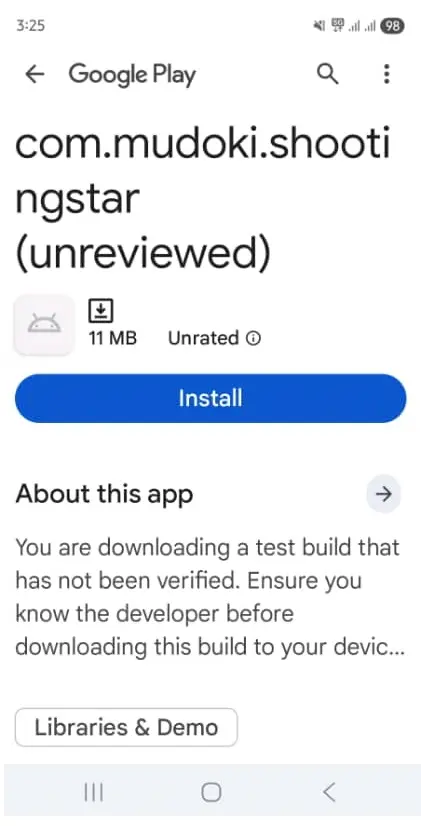
The application's icon will be appear on your mobile phone after successful installation.

2. Start by registering Worker
Next is proceed to Create Account at the bottom of the page.
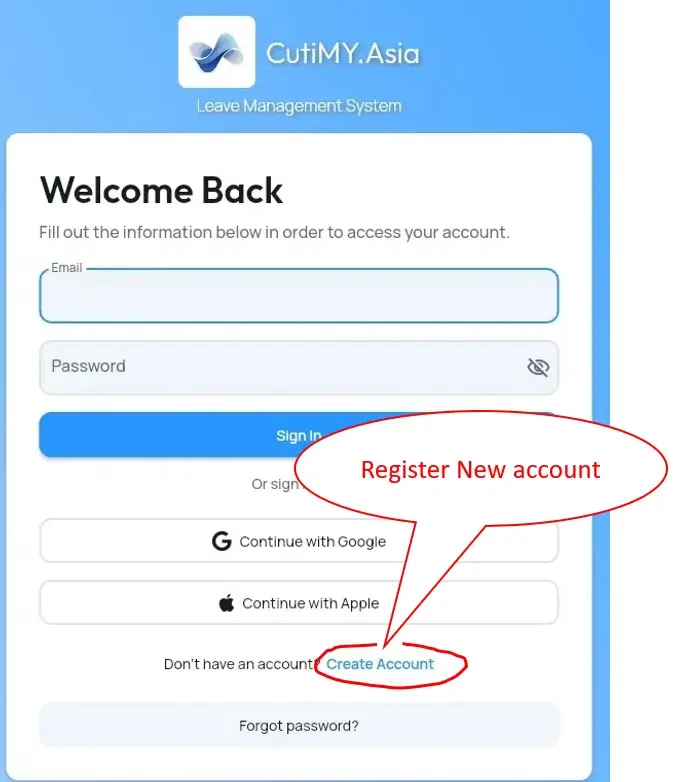
This will bring to you the next Get Started form.
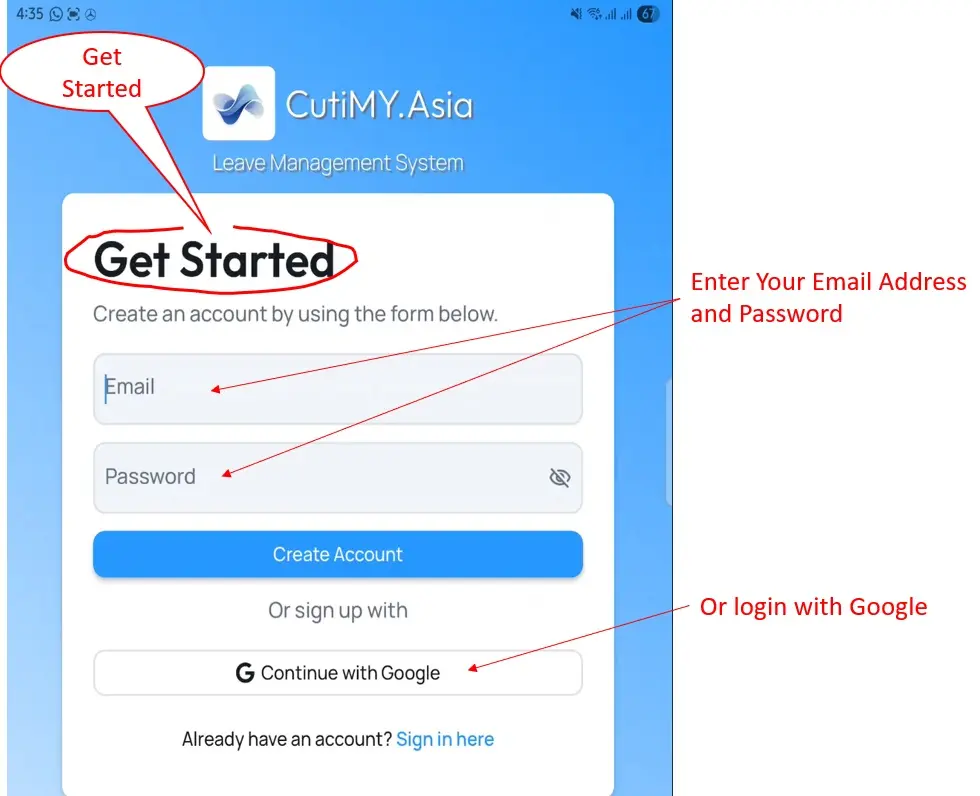
You can start to input your (1) User Email Address as Login name and Secure Password, or (2) alternatively, you can login with your Google Account.
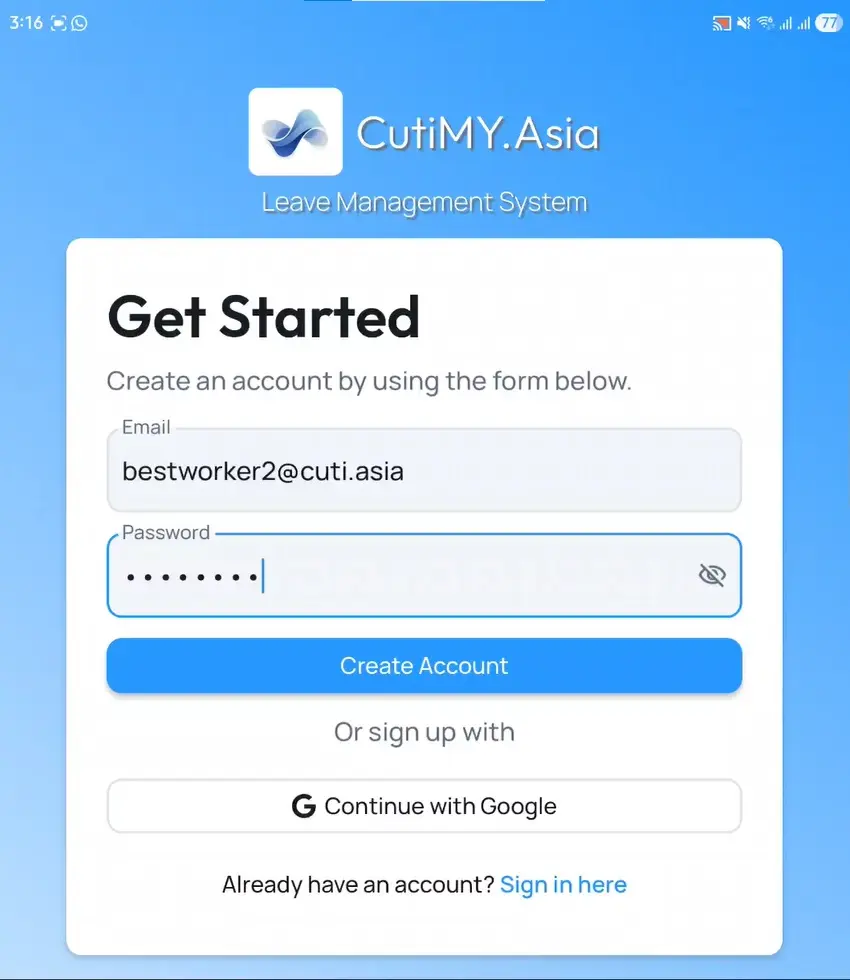
3. Confirm particulars as Employee/Worker
The next stage after that will bring you to this display.
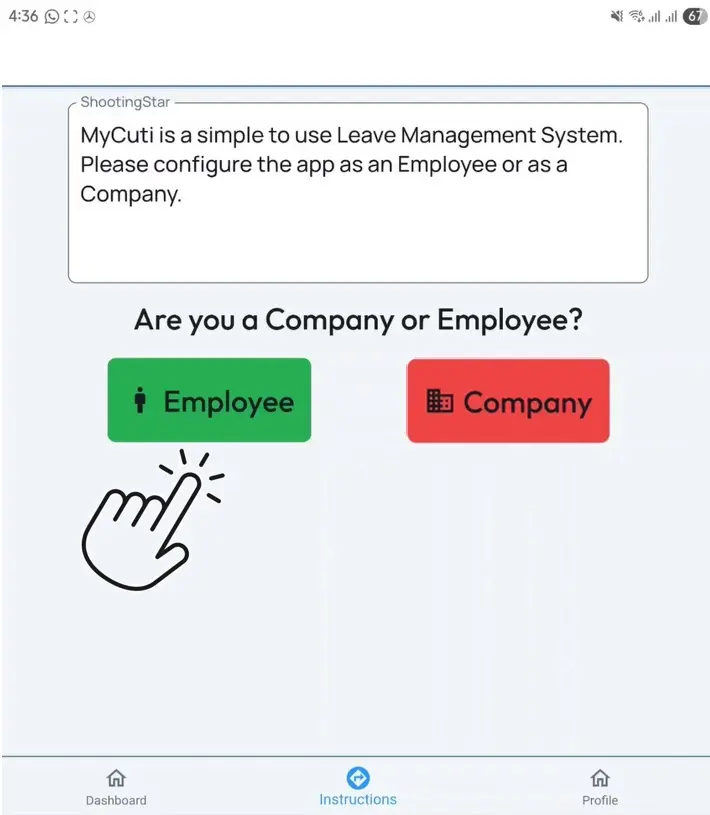
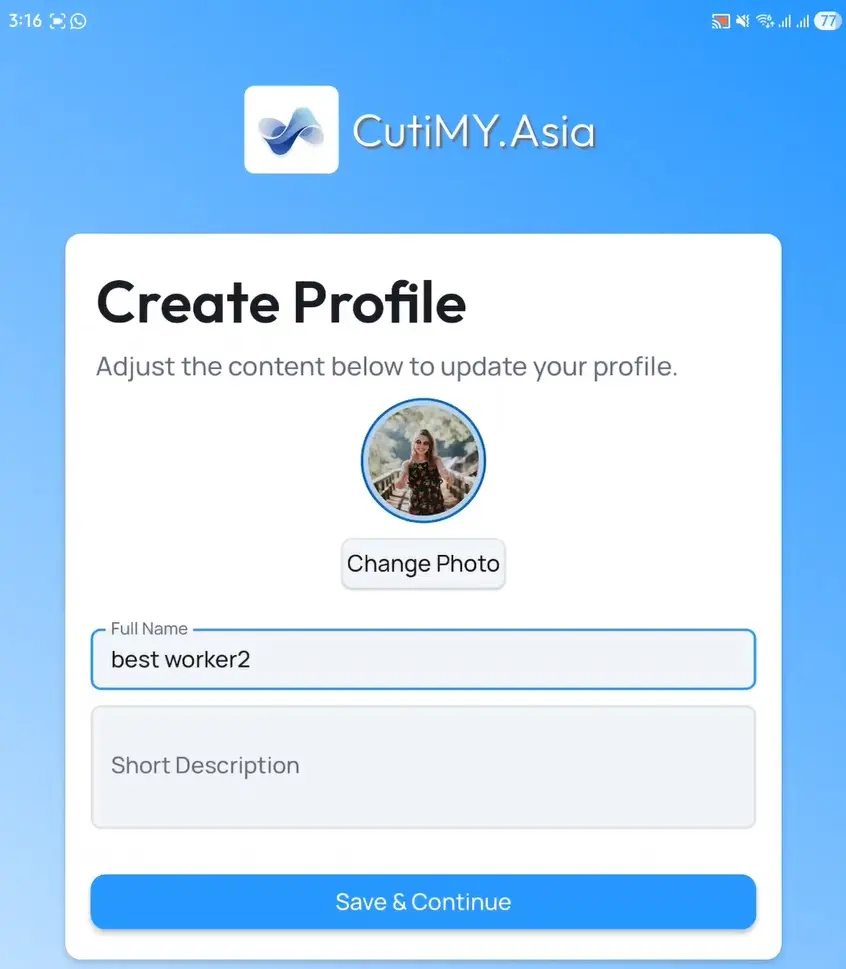
Select for Employee and fill in your profile details.
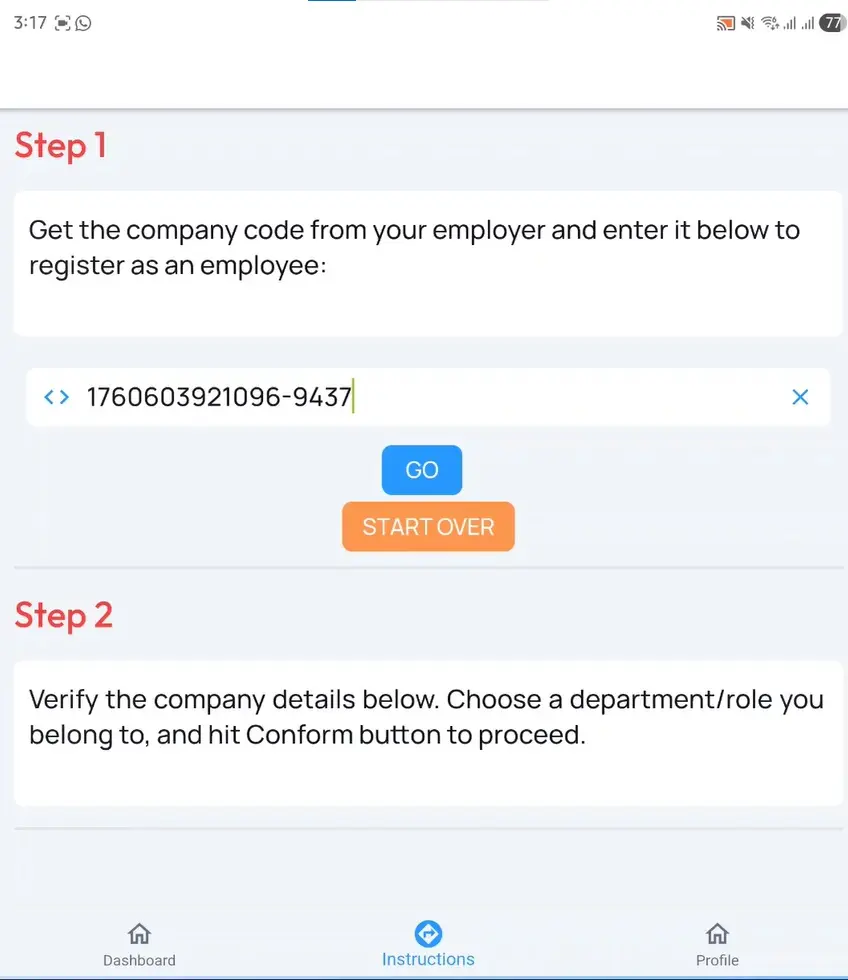
Enter the company code provided by your Company.
After that confirm your role Job Role/Department.
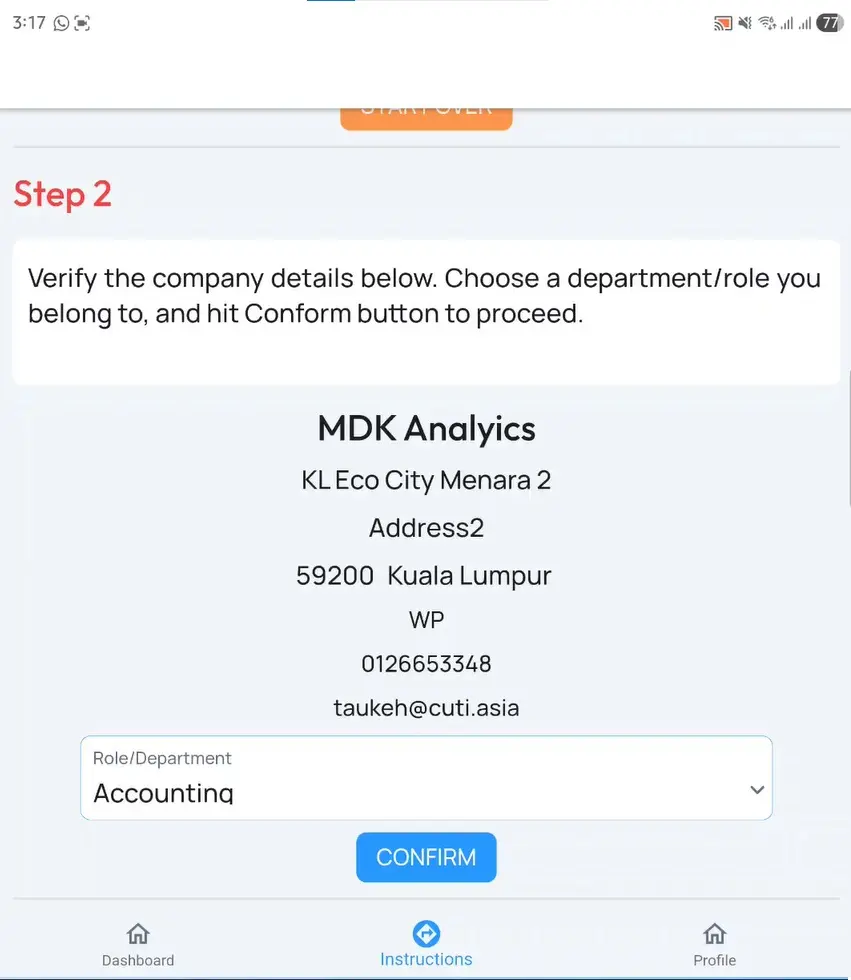
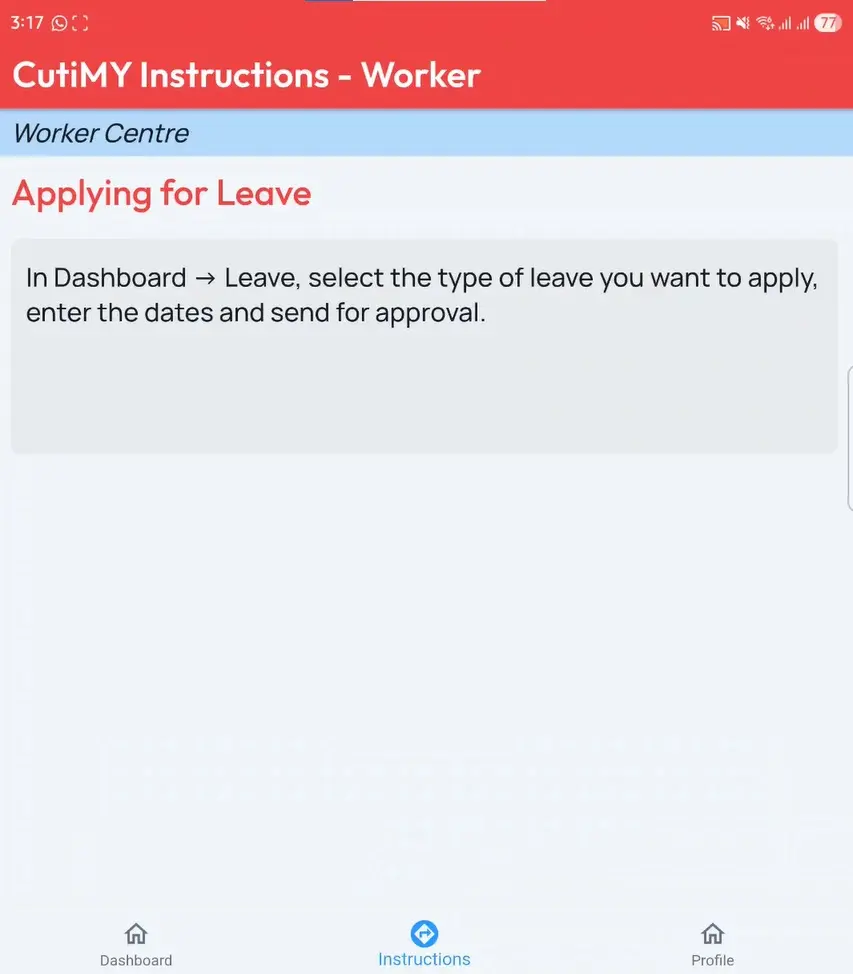
Congratulations you have succeeded to set up and link your account to the your company's!
4. Start Using
Login back into the Welcome Back page with your created profile.
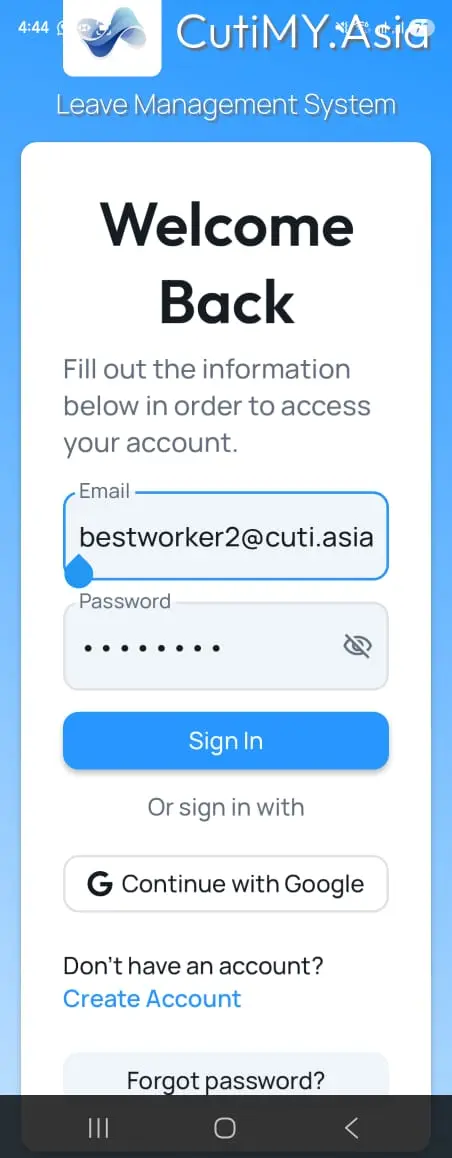
This will bring you into the Worker User Interface display in RED.
5. Bottom Navigation Bar
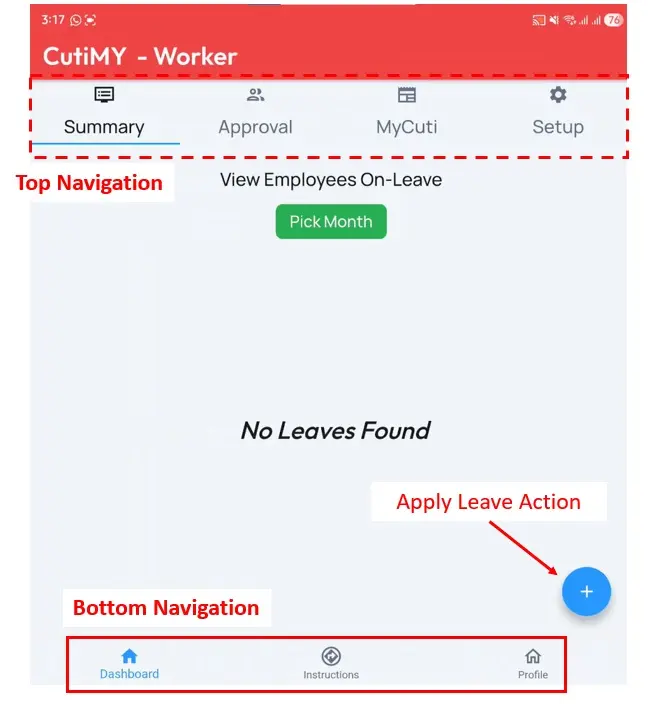
1. Dashboard
The display shown above is the Dashboard display. You will have access to the Top Navigation Bar in this display.
2. Instruction
This is the default display when you login as a guide and company announcements.
3. Profile
The profile display is when you can Edit up your profile, load a photo etc. It is also the site where you can Log Out from the app.
4. Apply Leave Action
At anytime required, leave application can be made by clicking this button.
6. Top Navigation Bar (Dashboard)
The Dashboard page will allow you to access the top navigation bar and also the Leave Application Action Button.
The Summary Display will appear by default.
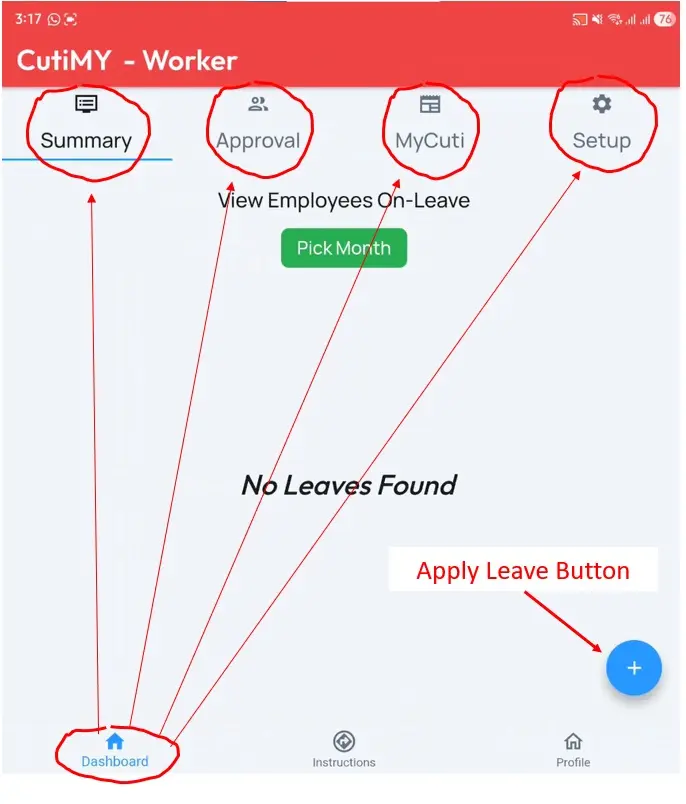
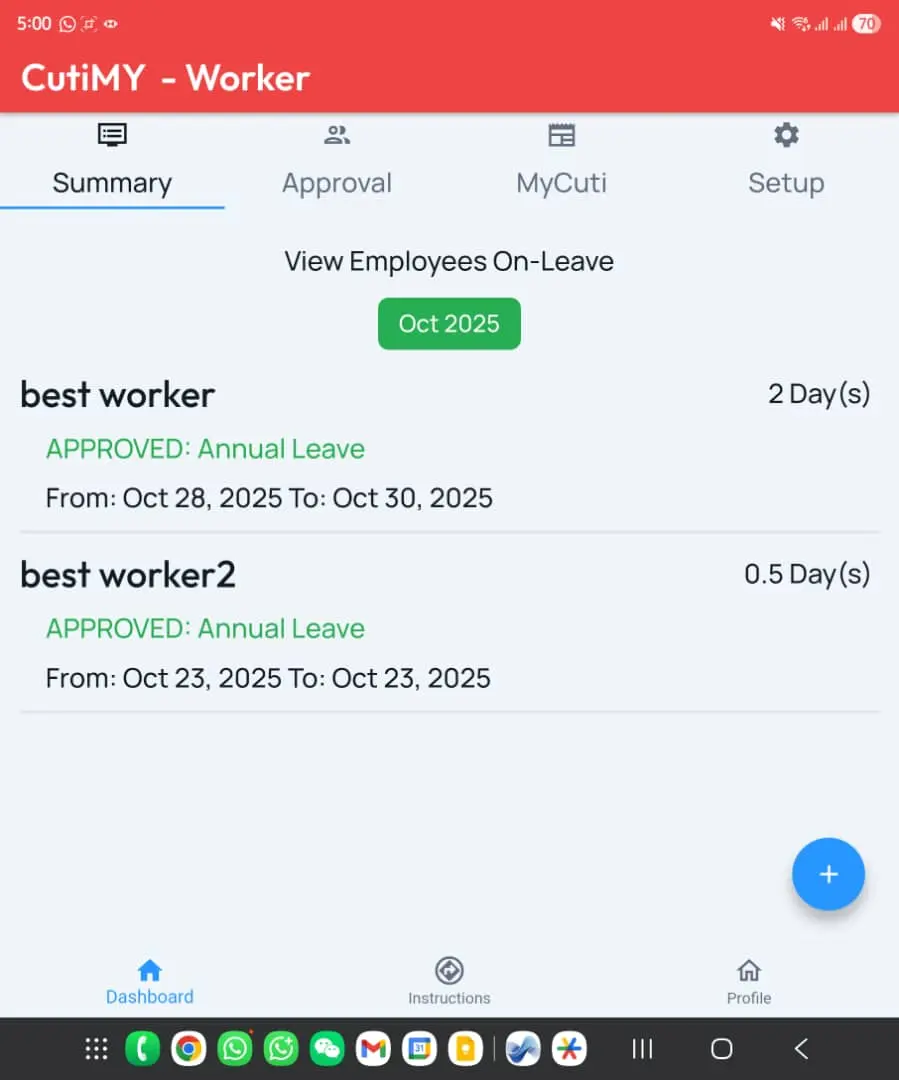
1. Summary
Tells you who in your organization is on leave.
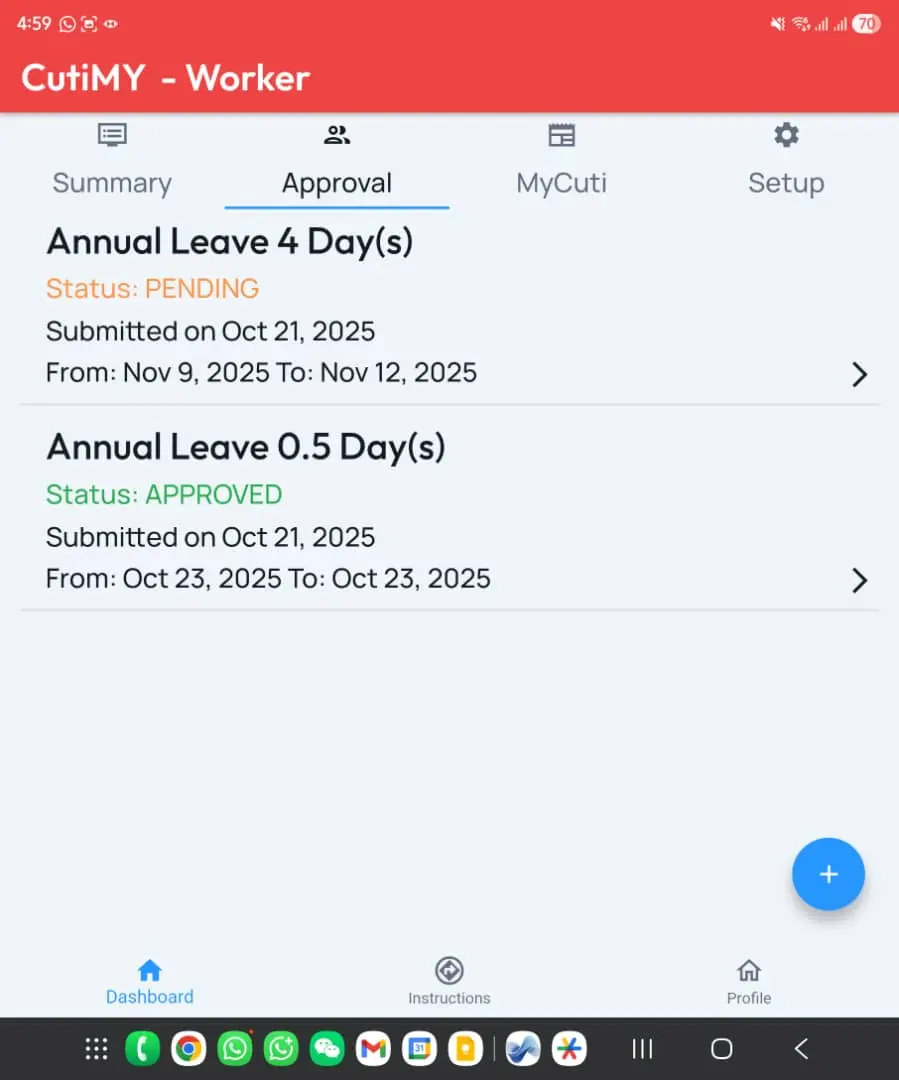
2. Approval
This is the page provides an overview of all your leaves. Those leaves that you have applied in all its status.
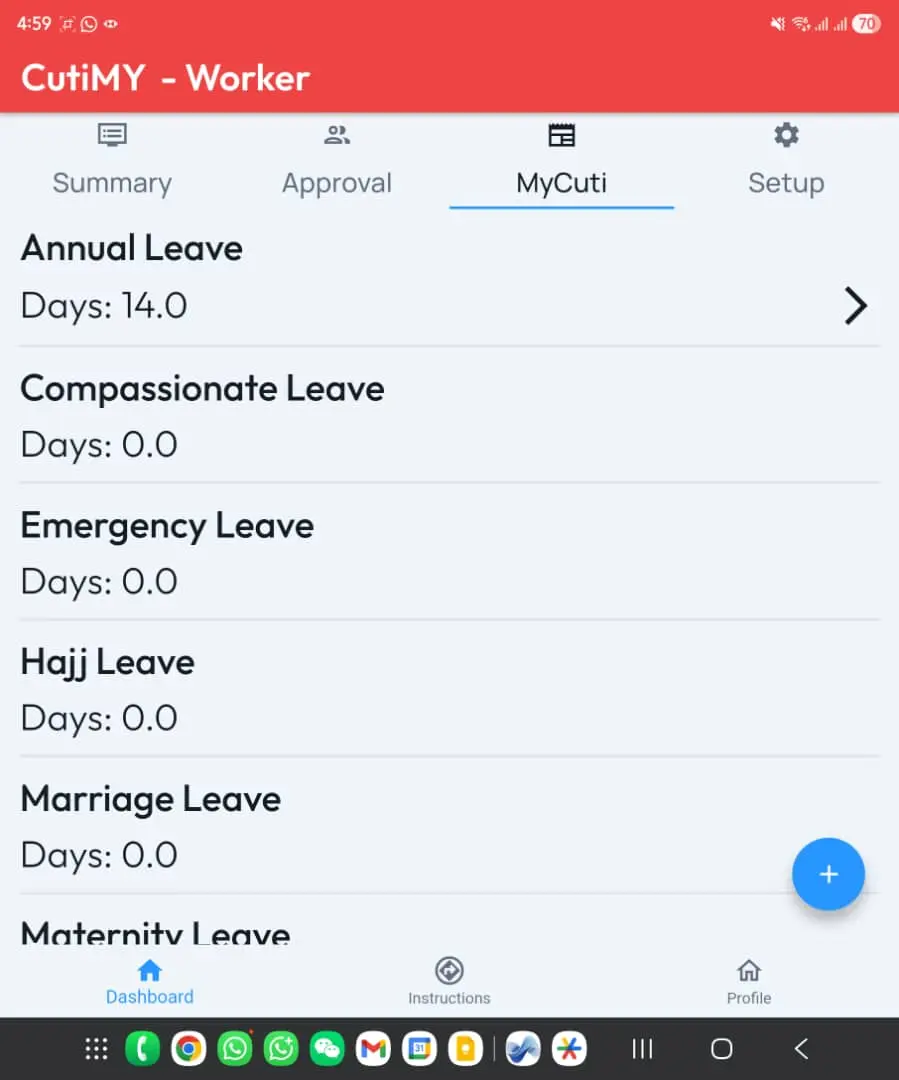
3. MyCuti
This page shows you the type of leaves you are entitled and allocated by the Company.
4. Setup
There is no function in the page other than information.
More User Information
How to use and apply leave?
General guide on how to use the system and apply for leave.
not use yet?
Our website is designed for easy navigation, allowing you to find the information you need quickly and efficiently.